Free
$0
- Deep scan of all 12 places
- Clean app & web caches
- Clean logs & Trash

The friendly Mac cleaner
Mac storage full? Spacious finds the caches, Xcode leftovers and forgotten files hiding in System Data, and only removes what you choose.
Download for Mac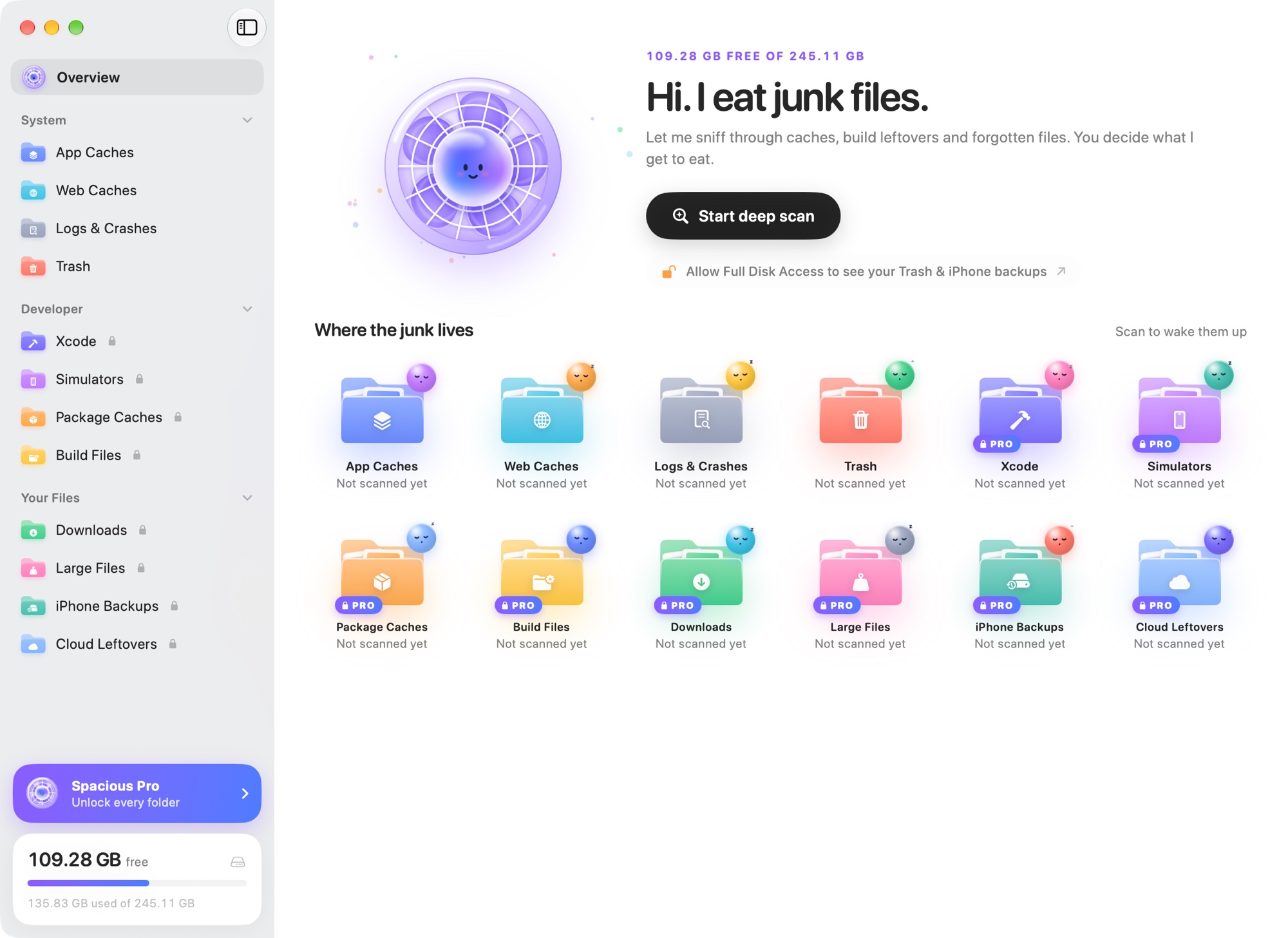
One deep scan of the twelve places that quietly fill up your disk and make System Data huge.
$0
$5/month
$19.99once
System Data is everything macOS can't put in a neat category: app caches, browser and Electron caches, logs, Xcode build files, iOS simulators, package manager caches and more. These pile up quietly, so System Data can grow to 50 or even 100 GB.
Download Spacious, press Start deep scan, review what it finds, and press Clean. Spacious looks in twelve places that make System Data grow and shows exactly what will be removed before anything happens.
Yes. Caches are copies apps can rebuild, so deleting them frees space without losing your data. An app may open a little slower the first time while it rebuilds its cache. Spacious only preselects things that grow back.
Not unless you ask. Your own files, like old downloads, large files and device backups, are never selected for you, and when you do pick them they go to the Trash so you can restore them.
It depends on how you use your Mac. Most Macs have a few gigabytes of caches and logs. Developers with Xcode, simulators and node_modules folders often get back tens of gigabytes.
Yes. Spacious is free to download and scans all twelve places. The free plan cleans app caches, web caches, logs and the Trash. Spacious Pro, $5 a month or $19.99 once, also cleans Xcode, simulators, package caches, build files, downloads, large files, device backups and cloud leftovers.
Spacious finds Xcode DerivedData, device support files, previews, archives and old simulator runtimes. It removes simulators through Xcode's own tools and keeps your newest runtime unless you choose it.
Spacious runs on macOS 26 Tahoe or later. It is signed and notarized by Apple and updates itself.